Not worth it in material value. But very much worth it in design, features, battery life and software. That's pretty much the only reason why all my peripherals are logitech (even though their quality has been on a steep decline, however there is no good alternative to their products).
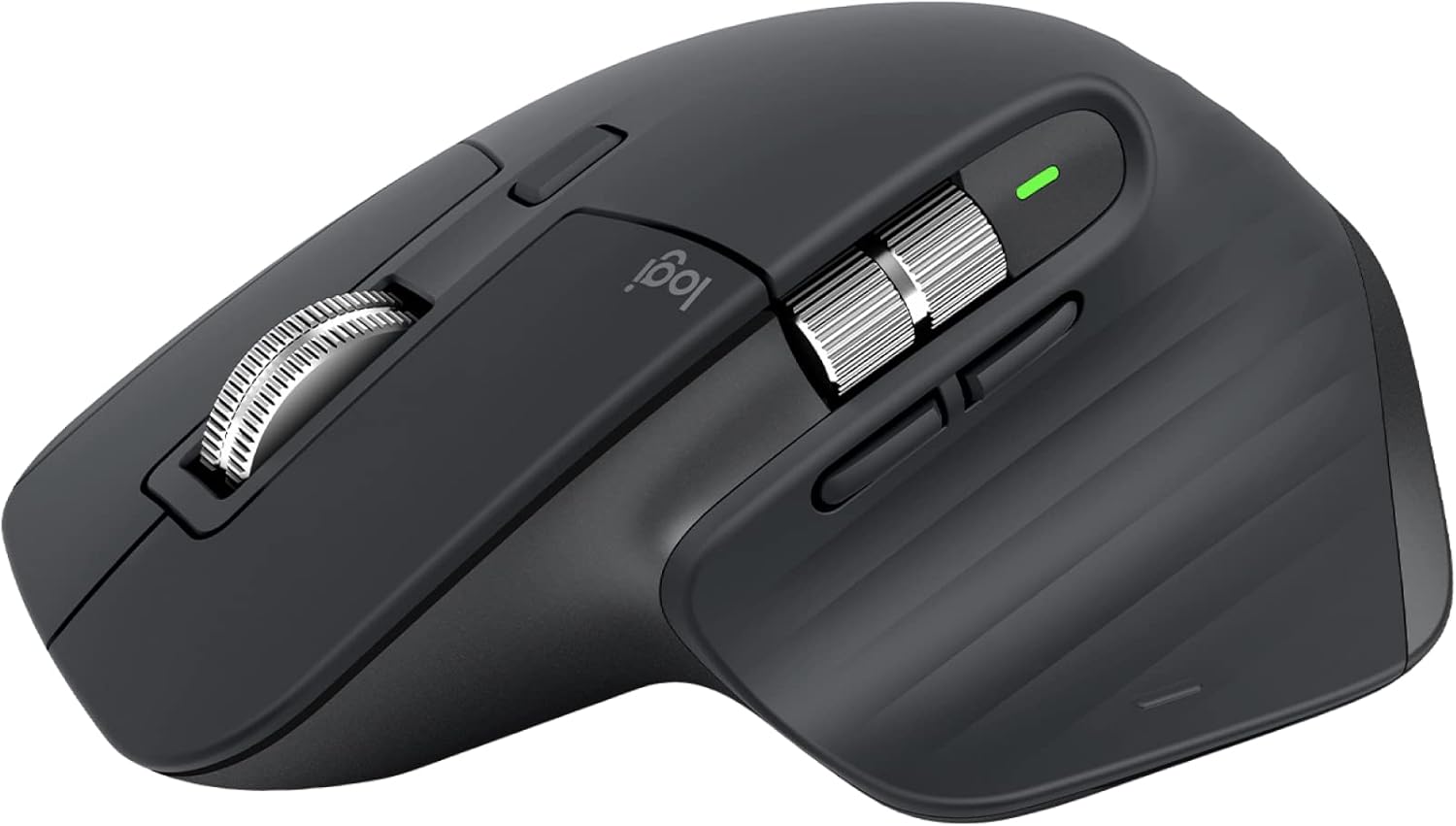
Logitech MX Master 3S Performance Wireless Mouse
The Logitech MX Master 3S (ASIN B09HMKFDXC) is a premium wireless productivity mouse with MagSpeed electromagnetic scrolling, an 8000 DPI glass-tracking sensor, and 70-day battery life, available on Amazon.ca at around $139 CAD.
9 mentions · 5 threadslast mention Oct 2025
Every mention, sourced
Real comments from Reddit, linked to the original thread. Nothing paraphrased.
Completely agree... I have it, and it's not that different from the 3S, so I went back to it. But the USB-C unifying receiver is nice.
Does that include planned obsolescence through design, considering their repeat usage of never ending tacky rubberised surfaces that degrade?
Sure it's a good mouse, but it has flaws far below what used to be the level of Logitech products...
Is your 3S very worn out? Upgrade. Is it still relatively new? I would probably not upgrade. I mean, if the 4 had brought 1000Hz polling rate, I could probably find a justification for that.
still shitty to this day... just seems very counterintuitive and i would expect better from this 100$ mouse that everyone kept recommending.
I was happy at first, but I had the first issue with hand marks on my white mouse. Rubber or silicone keeps hand marks and makes shiny white mice dirty no matter how hard you clean it... The next issue was the left-click problem. It started small with a 0.1% missed click, then it went even worse. And now it's about 40-50%. It's impossible to work because I need to make 2-3 clicks to make one click.
I have had 2 pieces of MX Master 3 and one MX Master 3S and they all have a scroll wheel that registers the scrolls very badly. This is how I've scrolled my mice for 20 years, and with these ones it doesn't work
Since the upgrade to macOS Ventura, I got laggy out of my MX 3s with bluetooth connection. Already tried repairing and reinstalling the logitech option but still no luck. It becomes worse when I use a Bluetooth headset.
✅ What Works
- Software, multi-device switching, and feature set still draw praise from long-time Logitech users
- USB-C unifying receiver update is a welcome upgrade
- Good option if replacing a heavily worn earlier MX Master
⚠️ Worth Knowing
- Scroll wheel registers scrolls poorly for multiple owners, even long-time mouse users
- Left-click reliability degrades over time — one owner reports up to 40-50% missed clicks
- Rubberized coating stains and is seen by some as a durability/planned-obsolescence issue
- Bluetooth lag reported on macOS Ventura
Owner sentiment here is unanimous-negative — 5 of 9 mentions are negative and only 1 mixed positive, despite the mouse's premium price and reputation. The most common complaints are mechanical: multiple owners describe a scroll wheel that “registers scrolls very badly” even after 20 years of muscle memory with other mice, and a left-click that degrades over time — one owner reports going from occasional missed clicks to a 40-50% failure rate that made the mouse “impossible to work” with. Others flag the rubberized coating as prone to staining and “planned obsolescence” through materials that degrade, plus Bluetooth lag on macOS Ventura. A few owners still defend it for its software and multi-device switching, calling it worth buying despite Logitech's “declining” build quality. Skip it if long-term click and scroll reliability matter to you; consider it only if you value the ecosystem features enough to risk a mechanical failure down the line.