Antivirus & Security
Ranked by use case — find yours fast
Norton 360 Deluxe
Norton 360 Deluxe is a comprehensive all-in-one security suite that protects up to 5 devices—PCs, Macs, tablets, and smartphones—with advanced malware defense, a Secure VPN, and AI-powered Scam Protection. It also includes 50 GB of PC Cloud Backup, Parental Control, Dark Web Monitoring, and a built-in password manager.
Tech Specs ▾
| Devices | 5 |
| Os Support | Windows 7 SP1+, Windows 8/8.1, Windows 10, Windows 11, macOS (current and previous 2 versions), Android 10.0+, iOS (current and previous 2 versions) |
| Vpn | Secure VPN included with unlimited data on Windows, Mac, iOS, and Android |
| Parental Controls | Yes |
| Dark Web Monitoring | Yes |
| Cloud Backup | 50 GB (Windows PC only) |
| Password Manager | Yes |

Bitdefender Total Security
Bitdefender Total Security delivers award-winning multi-layered protection across Windows, macOS, Android, and iOS—including ransomware defense, network threat prevention, and behavioral detection—without slowing down your devices. It bundles a Privacy Firewall, webcam protection, anti-phishing, a OneClick Optimizer, and 200 MB/day of encrypted VPN traffic per device.
Tech Specs ▾
| Devices | 5 |
| Os Support | Windows 7 SP1+, Windows 8.1, Windows 10, Windows 11, macOS Big Sur 11.3+, Android 7.0+, iOS 14+ |
| Vpn | 200 MB/day free VPN traffic per device (Windows, macOS, Android, iOS) |
| Firewall | Privacy Firewall for network protection against hackers and data snoops |
| Anti Phishing | Yes |
| Webcam Protection | Yes |
| System Optimizer | OneClick Optimizer — frees disk space, cleans registry, optimizes browsers and Windows settings |
Malwarebytes Premium + Privacy VPN
Malwarebytes Premium + Privacy VPN bundles next-generation antivirus with a fast WireGuard-powered VPN that logs no traffic or IP addresses, protecting up to 5 devices across Windows, Mac, Android, and iOS. It provides real-time protection against malware, ransomware, exploits, and phishing, plus the Browser Guard extension to block ads, trackers, and malicious sites.
Tech Specs ▾
| Devices | Up to 5 |
| Os Support | Windows, macOS, Android, iOS |
| Vpn Servers | 500+ servers in 40+ countries |
| Real Time Protection | Yes |
| Ransomware Rollback | No |
| Browser Guard | Yes |
| Log Policy | Strict no-log policy — no IP addresses or browsing activity are recorded |
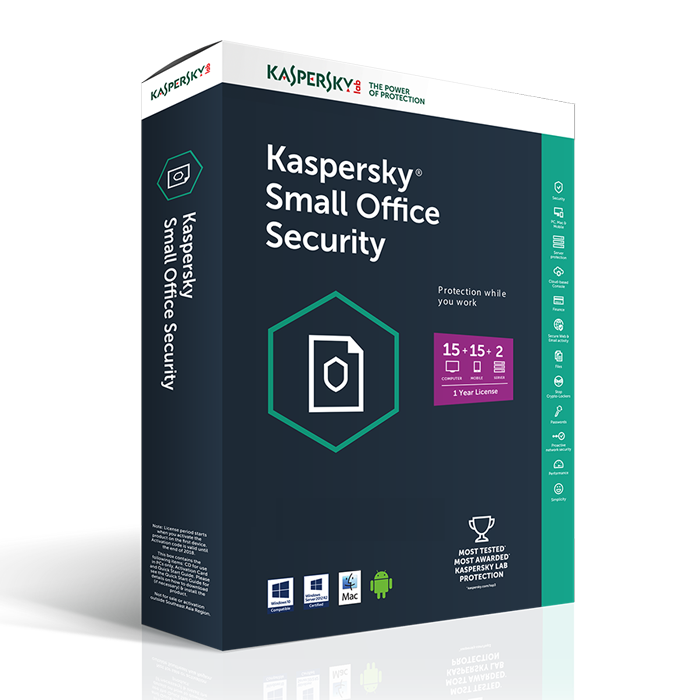
Kaspersky Small Office Security
Kaspersky Small Office Security is purpose-built for businesses with up to 50 users, providing protection for Windows and Mac workstations, Windows file servers, and Android mobile devices from viruses, ransomware, and phishing. It includes a password manager, file encryption, automated cloud/local backup, Safe Money for secure online banking, and web policy controls to manage employee internet use.
Tech Specs ▾
| Devices | 5–50 devices (scales with license count); includes file server protection |
| Os Support | Windows 7 SP1+, Windows 8.1, Windows 10, Windows 11, macOS 11+, Android 8+, iOS 15+ |
| File Server Protection | Windows file server protection with ransomware rollback via System Watcher |
| Password Manager | Yes |
| Backup Tool | Scheduled automated backup to local disk, network storage, or Dropbox |
| Encryption | File and folder encryption with password-protected containers; irreversible file shredder |
| Web Filtering | Configurable web policies to block, restrict, and log employee web activity by category |
Productivity Software
Ranked by use case — find yours fast
Microsoft 365 Personal
Microsoft 365 Personal is a single-user subscription delivering the full suite of Office desktop apps—Word, Excel, PowerPoint, Outlook, OneNote—alongside 1 TB of OneDrive cloud storage and Microsoft Defender security across up to 5 simultaneously signed-in devices. Apps stay perpetually updated with the latest features and work fully offline on Windows, macOS, Android, and iOS.
Tech Specs ▾
| Devices | Up to 5 devices signed in simultaneously |
| Storage | 1 TB OneDrive cloud storage |
| Apps Included | Word, Excel, PowerPoint, Outlook, OneNote, Teams, OneDrive, Designer, Clipchamp |
| Os Support | Windows 10/11, macOS (3 most recent versions), Android (last 4 major versions), iOS (2 most recent versions) |
| Offline Access | Yes |
| Updates | Continuous updates included — always on the latest version |
| Family Sharing | No |
Microsoft 365 Family
Microsoft 365 Family extends all Microsoft 365 Personal benefits to up to 6 people, each receiving their own 1 TB of OneDrive storage and the ability to use the full Office app suite on up to 5 devices at once. It is ideal for households, providing shared access to Word, Excel, PowerPoint, Outlook, and Microsoft Defender across PC, Mac, phone, and tablet.
Tech Specs ▾
| Devices | Up to 5 devices per user (up to 30 devices total for 6 users) |
| Storage | Up to 6 TB OneDrive (1 TB per person) |
| Apps Included | Word, Excel, PowerPoint, Outlook, OneNote, Teams, OneDrive, Designer, Clipchamp |
| Os Support | Windows 10/11, macOS (3 most recent versions), Android (last 4 major versions), iOS (2 most recent versions) |
| Users | 1 to 6 people |
| Offline Access | Yes |
| Family Sharing | Yes |
Adobe Acrobat Standard
Adobe Acrobat Standard is the trusted PDF solution for editing, converting, signing, and securing documents from desktop, browser, or mobile on Windows and macOS. It enables text and image editing within PDFs, conversion to and from Microsoft Office formats, e-signature collection, password protection, and 100 GB of Adobe cloud storage.
Tech Specs ▾
| Platforms | Windows, macOS, Web browser, iOS (mobile app), Android (mobile app) |
| Pdf Editing | Edit text, images, and page layouts directly in PDFs |
| E Signatures | Fill, sign, send for e-signatures; collect up to 2 signature requests per month |
| Cloud Storage | 100 GB Adobe cloud storage included |
| File Conversion | Convert PDFs to/from Word, Excel, PowerPoint, and other formats |
| Ocr | No |
| Collaboration | View, print, share, comment, and track responses; password-protect and restrict PDFs |
Rosetta Stone Lifetime
Rosetta Stone Lifetime grants permanent, unlimited access to all 25 available languages using the Dynamic Immersion method and TruAccent speech-recognition technology for real-time pronunciation feedback. The plan supports web, iOS, Android, Windows, and Mac with offline mode, plus Audio Companion audio lessons, a Phrasebook for quick-reference phrases, and access to 1-on-1 live tutoring sessions.
Tech Specs ▾
| Languages | 25 |
| Platforms | Web (browser), iOS, Android, Windows app, macOS app |
| Offline Access | Yes |
| Speech Recognition | TruAccent — industry-leading speech engine with real-time pronunciation feedback |
| Live Tutoring | On-demand 1-on-1 sessions with Rosetta Stone-certified tutors |
| Audio Companion | Downloadable audio lessons aligned to course units for on-the-go listening |
| Phrasebook | Built-in Phrasebook with greetings, expressions, and daily-use phrases (select languages) |